




🔔 New Feature Alert: Quick Start for Call Capture 🔔
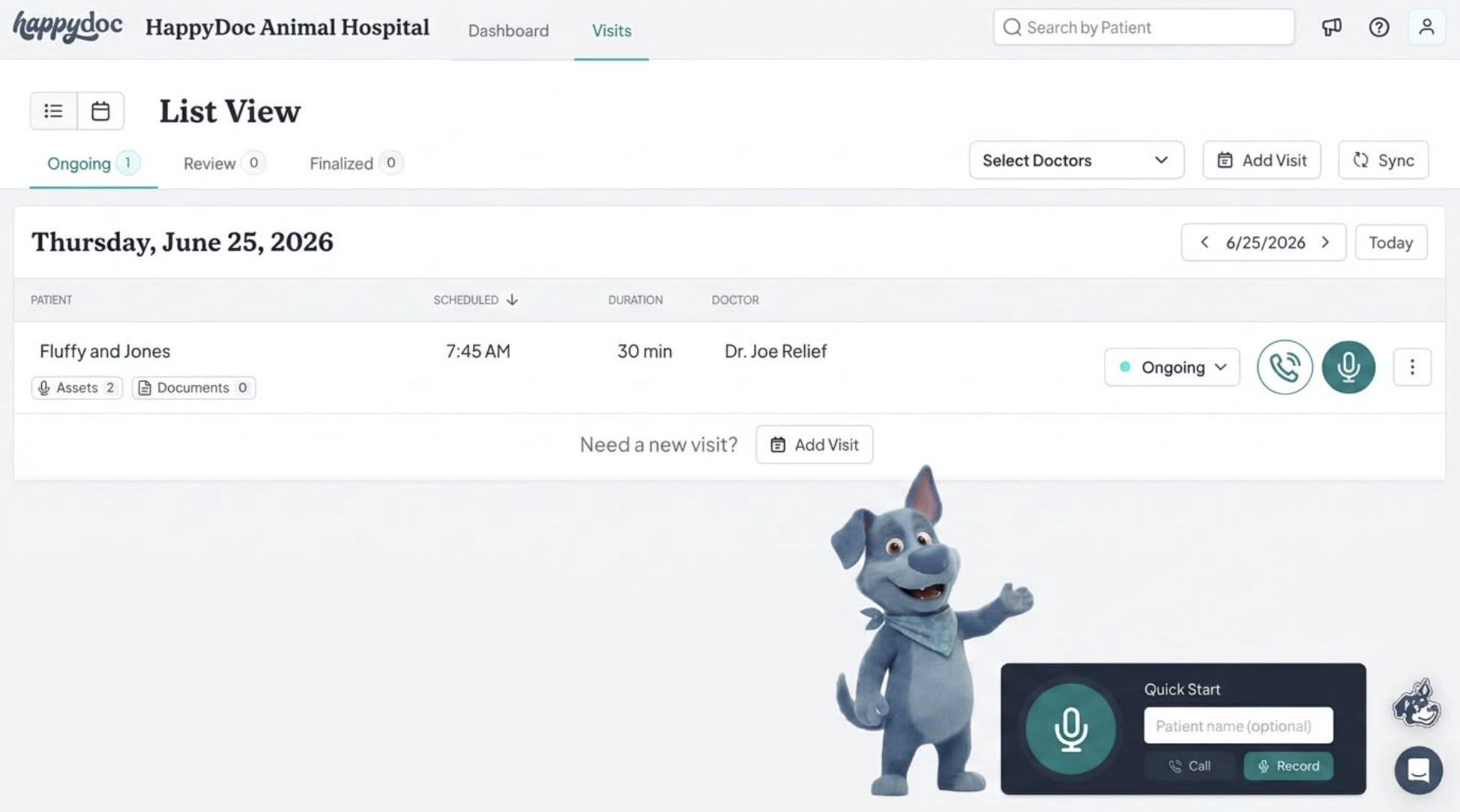
We recently asked HappyDoc users what feature they wanted us to build next.
The vote? Make it easier and faster to start recording phone calls to clients.
Within days, we built and launched Quick Start for Call Capture.
What is Quick Start for Call Capture?
Quick Start for Call Capture makes it a breeze to call clients and generate documents from the call.No need to create a visit first. You just click and call and voila, your notes are done.
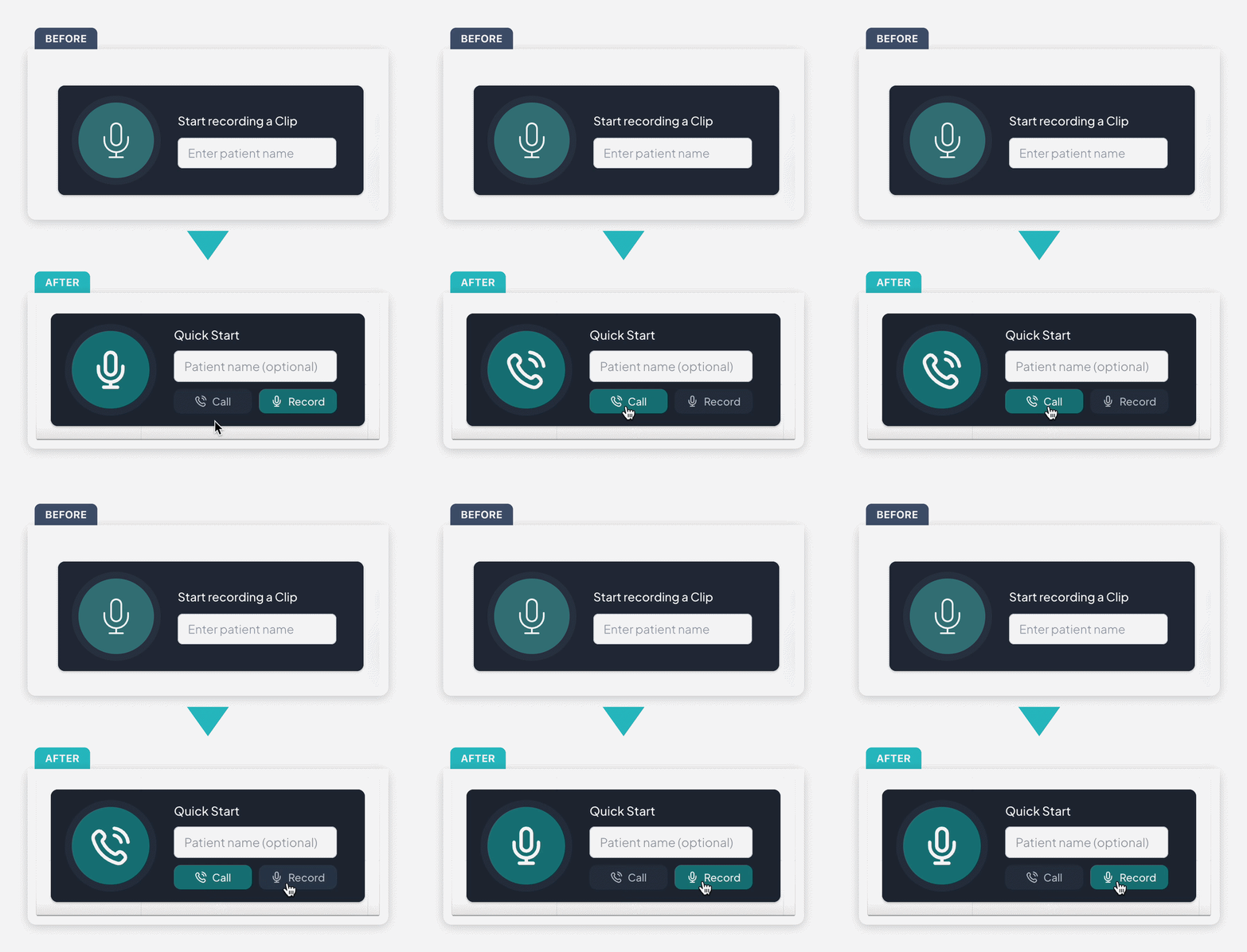
How to use this feature in 4 steps
1️⃣ Toggle Quick Start from Record Mode to Call Mode
2️⃣ Click the big circular button with phone icon on it
3️⃣ From there, you'll see the Call Capture screen where you can type in a number to call
4️⃣ It will remember which mode you were last on, whenever you come back to HappyDoc on that same machine
We're excited to see what our customers think of this new feature!
Not yet a customer? Book a demo to explore what this looks like in your practice at: https://happydoc.ai/


.png)

.png)


